How to Choose the Right Access Control System for Your Site
Choosing the right access control system is about much more than deciding how people open a door.
For most organisations, access control sits at the centre of a wider security strategy. It helps protect people, manage who can enter different areas, give teams better visibility of site activity, and reduces reliance on outdated manual processes.
But with so many options available, it can be difficult to know where to start.
Should you use fobs or key cards? Is biometric access control right for your site? Would mobile credentials improve the experience for staff and visitors? Do you need cloud-based management across multiple locations?
The best answer depends on your environment, your risk profile, and how your site operates day-to-day.
At SecuriGroup Systems, we design and install access control and integrated security systems that are built around the practical needs of each site. From commercial buildings and retail environments to education, healthcare, property management, and industrial sites, the right system should make security stronger without making operations harder.
This guide explains the main types of access control, what to consider before investing, and how access technology can work alongside professional security teams to create a more effective, joined-up solution.
For more detail on available technologies, you can also explore our access control solutions.
What Is an Access Control System?
An access control system helps organisations manage who can enter a building, room, floor, site or restricted area.
Instead of relying only on traditional keys, modern systems use electronic credentials, readers, and management software to control access in a more secure and manageable way.
Depending on the site, this might include:
- Door readers
- Electronic locks
- Fobs or key cards
- PIN pads
- Biometric readers
- Mobile credentials
- QR code or smartwatch entry
- Visitor management tools
- ANPR for vehicle access
- Cloud-based access management
- Integration with CCTV, intruder alarms and fire systems
The value of access control isn’t just that it opens and closes doors. It gives organisations better visibility of who’s on-site, where they’re moving, and whether access is being used appropriately.
For a small office, that might mean managing staff and visitor access more easily. For a larger commercial estate, campus or multi-site organisation, it can mean centralised control, clearer audit trails and a stronger foundation for the wider security strategy.
Start With Your Requirements, Not the Technology
One of the most common mistakes we see is organisations choosing technology before properly understanding their requirements.
Before comparing systems, ask yourself:
- What are you trying to protect?
- Who needs access?
- Are there areas that require higher levels of security?
- How often do visitors and contractors access the site?
- Do you operate across multiple locations?
- Do you need remote management capabilities?
- Are there compliance or audit requirements?
- Will the system need to grow with the business?
The answers will often point you towards the right solution far quicker than comparing product specifications.
A commercial office won’t have the same access control requirements as a college campus, retail environment, or healthcare setting. The right system should reflect the way the site works in practice, not force people into a process that doesn’t suit the environment.
The Different Types of Access Control Systems
Key Card and Fob Access Control
How it works
Key cards and fobs remain one of the most common forms of access control. Users are issued a physical credential which is linked to their permissions within the system. When they present the card or fob to a reader, access is either granted or denied based on those permissions.
Good fit for:
- Commercial offices
- Multi-tenant buildings
- Education settings
- Retail back-of-house areas
- Staff-only spaces
- Small to medium-sized sites
Strengths
- Simple and familiar for users
- Easy to issue, manage and replace
- Suitable for most commercial environments
- Supports different access levels for different users
- Straightforward to scale as teams grow
Watch-outs
Cards and fobs can be lost, borrowed or shared. For areas where security is more critical, organisations often combine them with an additional layer of authentication, such as a PIN or biometric check.
PIN and Keypad Access Control
How it works
Users enter a code into a keypad to gain access. In some environments, this acts as the primary method of access. In others, it’s used alongside another credential to provide an extra level of security.
Good fit for
- Internal doors
- Store rooms
- Staff-only areas
- Lower-risk restricted spaces
- Smaller sites with limited user numbers
Strengths
- No physical credential required
- Quick and straightforward to install
- Cost-effective for simple applications
- Useful where managing cards or fobs would add unnecessary administration
Watch-outs
PIN codes can be shared, forgotten or left unchanged for too long. Regular reviews are important, particularly when staff leave or access permissions need to be updated.
Biometric Access Control
How it works
Biometric access control verifies identity using physical characteristics unique to the individual. This may include fingerprint recognition, facial recognition, or retinal scanning.
Good fit for
- Higher-security areas
- Sensitive workspaces
- Server rooms
- Research environments
- Areas where credential sharing is a concern
- Locations requiring stronger identity verification
Strengths
- Greater confidence that the user is who they claim to be
- Reduces the risk of shared credentials
- Removes problems associated with lost cards or fobs
- Creates a stronger audit trail
- Useful where access needs to be tightly controlled
Watch-outs
Biometric systems require careful consideration around privacy, data handling, and user enrolment. They tend to work best when used as part of a wider access strategy, rather than applying the same approach to every door across a site.
Facial Recognition Access Control
How it works
Facial recognition technology identifies authorised users by comparing their face against a stored profile before granting access. The result is a fast, contactless method of authentication that removes the need for cards or fobs.
Good fit for
- High-traffic entrances
- Modern office environments
- Sites where speed and convenience matter
- Locations looking to reduce physical credentials
- Areas requiring stronger identity verification
Strengths
- Contactless access experience
- Fast and convenient for users
- Reduces reliance on physical credentials
- Helps improve flow through busy entrances
- Combines convenience with strong security
Watch-outs
Facial recognition requires careful planning. Factors such as lighting conditions, camera placement, privacy requirements, and user acceptance can all affect how successfully the system performs.
Mobile, QR Code and Smartwatch Entry
How it works
Instead of carrying a physical access card, users gain entry using a smartphone, smartwatch or temporary QR code credential. Permissions can be managed remotely and updated instantly when required.
Good fit for
- Modern workplaces
- Flexible and hybrid working environments
- Visitor access
- Contractor management
- Multi-site organisations
- High-traffic facilities
Strengths
- Reduces the need for physical cards
- Simplifies temporary and visitor access
- Makes permissions easier to manage remotely
- Supports flexible working practices
- Can reduce administration for facilities and security teams
Watch-outs
Mobile access depends on users having access to their devices. Organisations should consider what happens if a phone is lost, damaged or has no battery, and ensure alternative access arrangements are available.
Cloud-Based Access Control
How it works
Cloud-based access control allows organisations to manage users, permissions and activity through a central platform rather than relying solely on on-site infrastructure. Teams can make changes remotely and maintain visibility across multiple locations.
Good fit for
- Multi-site organisations
- Property managers
- Retail groups
- Commercial property portfolios
- Organisations requiring remote administration
- Businesses planning future growth
Strengths
- Centralised control
- Real-time visibility across locations
- Easier remote management
- Scales more easily as organisations grow
- Reduces reliance on local servers and infrastructure
- Allows permissions to be updated quickly
Watch-outs
Cloud-based systems rely on good connectivity, clear ownership and robust user permissions. Like any business-critical platform, they work best when responsibilities and processes are clearly defined from the outset.
ANPR and Vehicle Access Control
How it works
Automatic Number Plate Recognition (ANPR) uses cameras to identify vehicles by reading registration plates. Access can then be granted automatically to authorised vehicles entering a site, car park or restricted area.
Good fit for
- Commercial sites with vehicle access
- Industrial estates
- Distribution and warehousing environments
- Staff car parks
- Visitor parking areas
- Sites with frequent deliveries
Strengths
- Streamlines vehicle entry and exit
- Reduces manual gate management
- Improves visibility of vehicle movements
- Helps manage authorised and unauthorised vehicles
- Can reduce congestion at busy access points
Watch-outs
ANPR relies on accurate vehicle data, well-positioned cameras and clearly defined permissions. It works best when it forms part of the wider access control strategy rather than being treated as a standalone system.
Different Sectors Have Different Access Challenges
Every environment operates differently, which means access control requirements can vary significantly.
Commercial Offices and Corporate Buildings
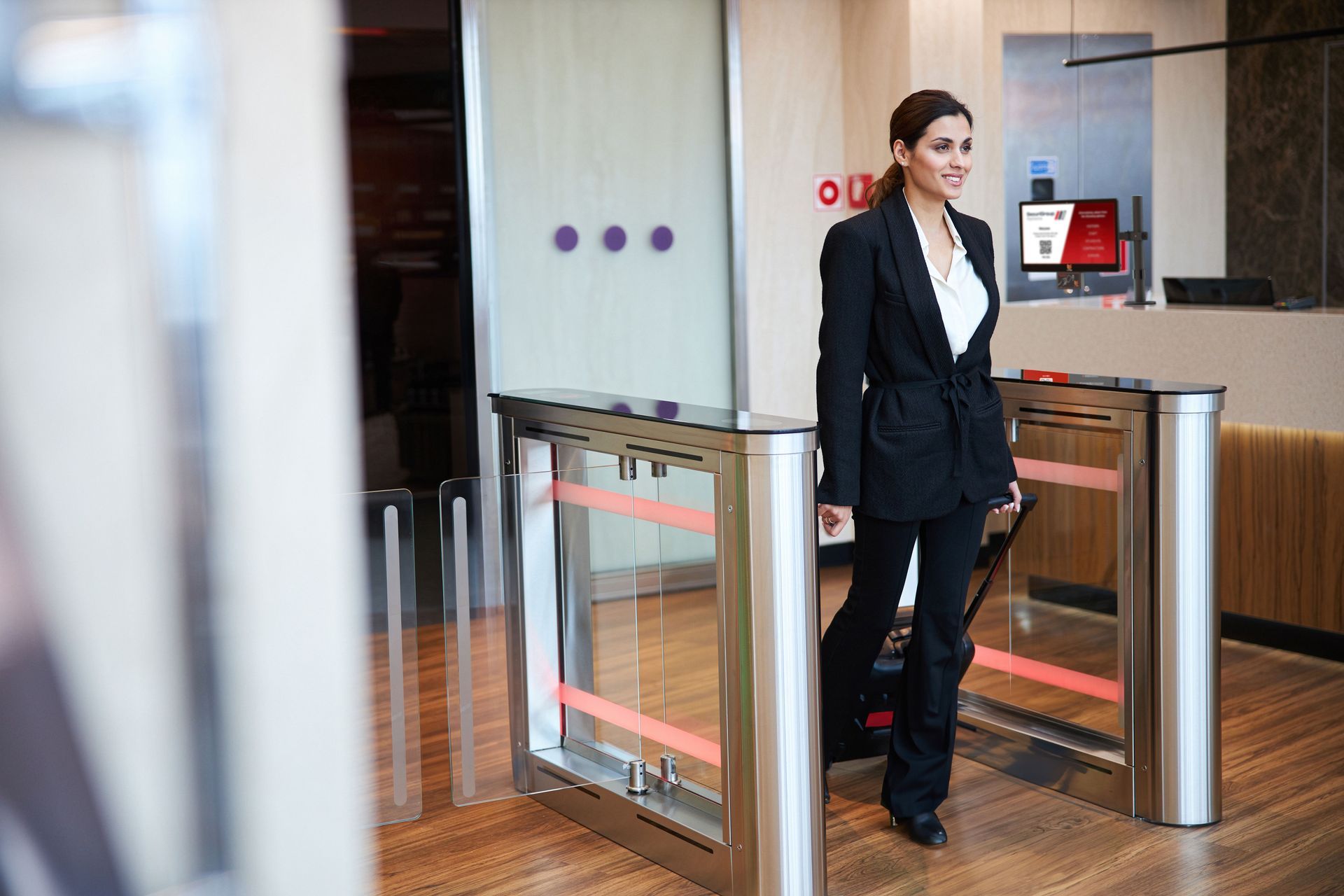
In commercial buildings, access control needs to balance security with a smooth experience for employees, visitors, and contractors.
Common priorities include:
- Staff access
- Visitor management
- Contractor access
- Floor-by-floor permissions
- Meeting room access
- Out-of-hours entry
- Integration with reception or front-of-house teams
For offices and corporate buildings, the best systems are often the ones people barely notice day-to-day. Authorised users can move easily through the site, while building managers retain clear control over who can access each area.
Retail and Distribution
Retail and distribution sites often have a wide range of access needs across front-of-house, back-of-house and operational areas.
A single site may include customer areas, staff entrances, stockrooms, cash-handling spaces, delivery points, offices, and restricted storage areas.
Common priorities include:
- Stockroom security
- Staff-only access
- Delivery access
- Contractor management
- Vehicle movement
- Loss prevention
- CCTV integration
In these environments, access control can play an important role in reducing unauthorised movement and supporting investigations if something goes wrong.
Education and Campus Environments
Education environments need security systems that protect people without disrupting learning.
Schools, colleges and universities often have multiple buildings, changing schedules, visitor requirements, contractors, staff areas and areas that need additional protection.
Common priorities include:
- Staff and student safety
- Visitor and contractor management
- Timed access permissions
- Restricted administration areas
- Out-of-hours monitoring
- Integration with CCTV
Industrial, Manufacturing and Warehousing
Industrial and manufacturing environments often involve large sites, vehicles, deliveries, contractors, production areas, and valuable assets.
Common priorities include:
- Site entry and exit
- Staff and contractor access
- Vehicle access
- Production areas
- Storage and stock protection
- Out-of-hours security
- Remote monitoring
For organisations operating across multiple facilities, consistency becomes especially important.
Multi-Tenant Commercial Buildings
Large estates and multi-tenant buildings bring a different type of challenge.
Property managers may need to control access for occupiers, visitors, contractors, maintenance teams, delivery drivers and security teams, often across shared entrances, car parks, service areas and internal buildings.
Common priorities include:
- Tenant-specific permissions
- Shared area access
- Contractor access
- Visitor management
- Vehicle access
- Remote administration
- Audit trails
Why the Best Security Strategies Combine Technology and People
Access control is powerful, but it should not be seen as a replacement for professional security expertise.
The strongest security strategies usually combine both.
Technology gives organisations visibility and control. It can show who accessed a building, when they entered, which areas they visited and whether any access attempts were denied.
People bring judgement, context, and response.
That combination matters.
An access control system can flag unusual activity. CCTV can help verify what happened. A trained security professional can assess the situation, decide whether there is a genuine risk, and take appropriate action.
This is where technology becomes more valuable. It helps security teams focus their time where it matters most.
The point isn’t that technology replaces people.
The point is that the right technology helps people work smarter.
For many organisations, the best results come from bringing access control, CCTV, monitoring, analytics, and professional security teams together as part of one joined-up approach.
Common Access Control Mistakes
Choosing a System Based on Features Alone
The latest technology isn't always the right technology. Start with operational requirements and work backwards.
Failing to Consider Future Growth
Your security requirements today may be very different in three years' time. Choose a platform that can grow with your business.
Ignoring User Experience
If a solution feels difficult or inconvenient to use, people will often create workarounds. Good security should support operations, not hinder them.
Not Integrating Security Systems
Access control becomes significantly more powerful when integrated with CCTV, intruder detection and visitor management tools.
Securing Only the Front Door
Many organisations focus on perimeter access while overlooking internal restricted areas. The most effective strategies protect both.
Real Situations: What Effective Security System Design Looks Like
The best security systems are designed around real sites, not ideal scenarios.
In practice, organisations often come to us with challenges such as ageing infrastructure, poor visibility, rising operating costs, multiple locations, hard-to-reach areas, inconsistent systems or security processes that have become too manual.
Good system design starts by understanding those pressures properly.
Here are some practical lessons from real projects.
1. Old Infrastructure Can Hold Back the Whole Security Strategy
On large sites, older security infrastructure can become expensive to maintain and difficult to adapt.
At Hillington Park, the existing CCTV system had originally been designed around 20 years earlier and was no longer fit for purpose. Rather than patching an outdated setup, the site moved to a fully wireless IP network with more than 160 new HD IP camera positions and cloud-enabled access.
The same thinking applies to access control.
If the existing infrastructure no longer reflects how the site operates, a like-for-like replacement may not be the best answer. It may be the right moment to rethink how access, monitoring, and response should work together.
2. Multi-Site Organisations Need Consistency
For organisations operating across multiple locations, consistency is often just as important as capability.
The Malcolm Group project involved a next-generation CCTV solution across 23 UK sites, with a scalable standard that could be rolled out consistently while integrating with the client’s internal systems and IT policies. The programme included more than 1,350 intelligent IP cameras, cloud-based monitoring, virtual patrols, and automation.
For access control, the same principle applies.
Multi-site organisations need systems that can be managed centrally, applied consistently and adapted where local requirements differ. Cloud-based access control, mobile credentials, visitor management, and remote administration can all help reduce complexity.
3. Access Control Works Best as Part of a Wider System
Access control should not sit separately from the rest of the security estate.
At Donaldson Timber Group, the requirement covered the full lifecycle of fire and security services across 47 UK sites, including design, installation, maintenance and monitoring. Alongside major fire system upgrades, new CCTV, intruder detection and access control systems were delivered across multiple subsidiaries.
That joined-up approach matters.
When access control, CCTV, intruder detection, fire systems and monitoring are planned together, organisations gain better oversight and fewer gaps between systems.
How SecuriGroup Systems Can Help
Choosing an access control system isn’t just a technical decision.
It’s a security decision, an operational decision and, often, a commercial one.
The right system should protect your site, support your people, simplify management, and give your organisation confidence that access is being controlled properly.
At SecuriGroup Systems, we design and install tailored access control and integrated security systems for organisations across a wide range of sectors. Depending on the site, this can include proximity cards and tokens, biometric authentication, facial recognition, mobile credentials, QR code entry, smartwatch access, ANPR, visitor management, cloud-based multi-site control and integration with CCTV, fire alarms and intruder detection.
For organisations that need both technology and professional security support, the wider SecuriGroup team can also support a more joined-up approach across systems, people, monitoring and operational security expertise.
Frequently Asked Questions
What is the best access control system for a business?
The best system depends on your site, security requirements, number of users and operational needs. There is no one-size-fits-all solution.
Are biometric access control systems more secure?
Because credentials are linked directly to an individual rather than a card or PIN, biometric solutions can provide a higher level of identity assurance.
Is facial recognition better than key cards?
Not necessarily. Different technologies suit different environments. The right choice depends on your security objectives, operational requirements, and user experience priorities.
Can access control integrate with CCTV?
Yes. Many organisations integrate access control with CCTV and wider security technologies to improve visibility and incident response.
Is cloud-based access control suitable for multi-site organisations?
For organisations with multiple locations, cloud-based solutions can provide centralised management, greater visibility, and improved operational efficiency.
Do I still need security personnel if I have access control?
In most environments, technology and people work best together. Access control provides visibility and control, while security professionals provide the judgement and response needed to deal with real-world situations.